


Furniture configurator for manufacturers
Furniture Configurator lets you customize pieces within the factory’s rules, see the price right away and check the layout in the room
Project at a glance
Build a configurator for furniture factories and showrooms where buyers themselves change the dimensions and options of pieces from the product range, get the price and check the layout in the room. Every choice has to stay within the factory’s production capabilities. For managers, pricing and the preparation of specifications and quotes had to be automated, including for projects with several pieces.
- Catalog of parametric furniture models
- Configuration of sections, interiors and doors
- 3D view and 2D diagram of each piece
- Production constraint checks with explanations
- Let buyers configure furniture and see the price on their own
- Keep choices within the factory’s production rules
- Automate pricing and the preparation of specifications and quotes
Want the same for your business? Tell us about your task — we’ll propose a solution and estimate the timeline.
Configuring models from the range
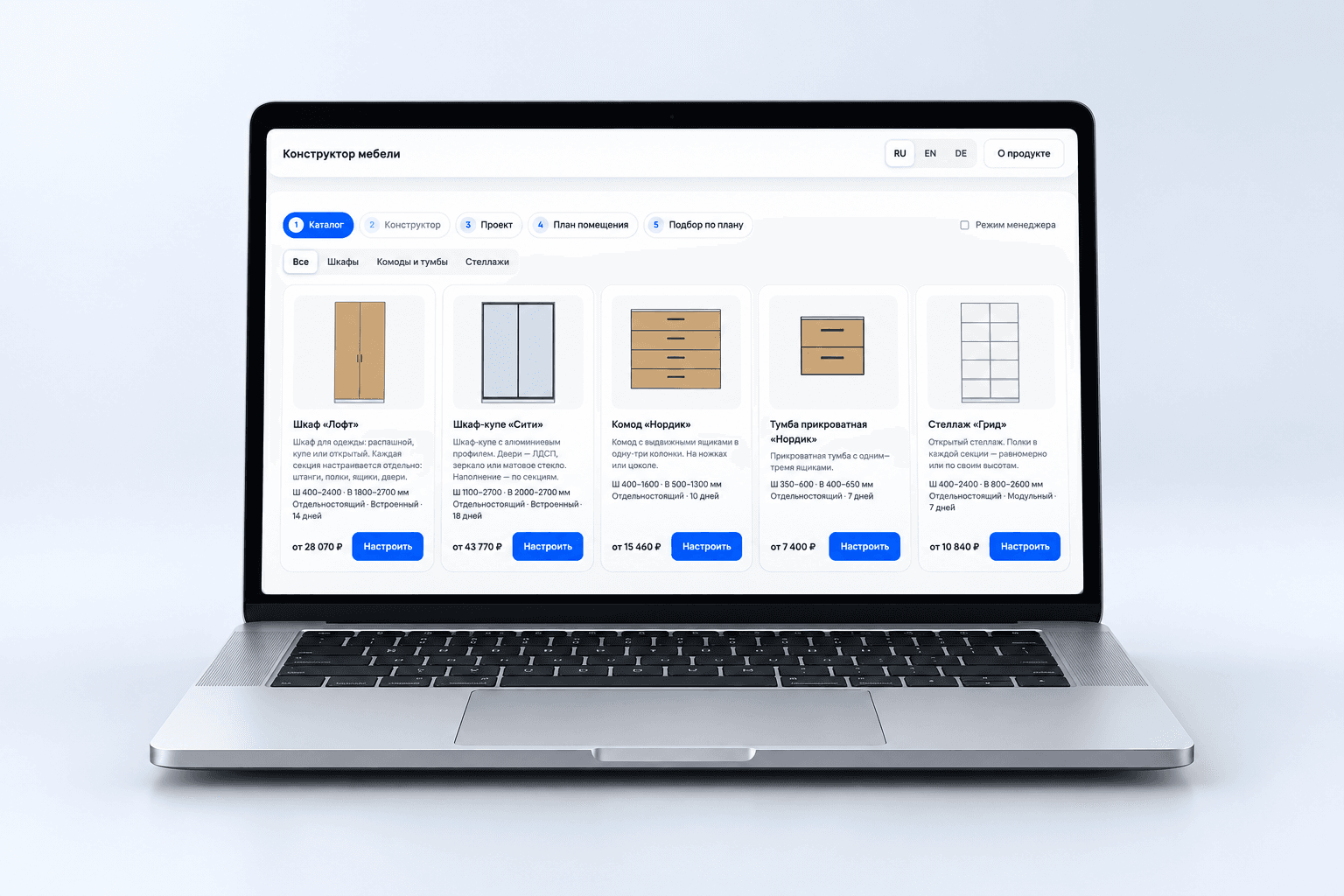
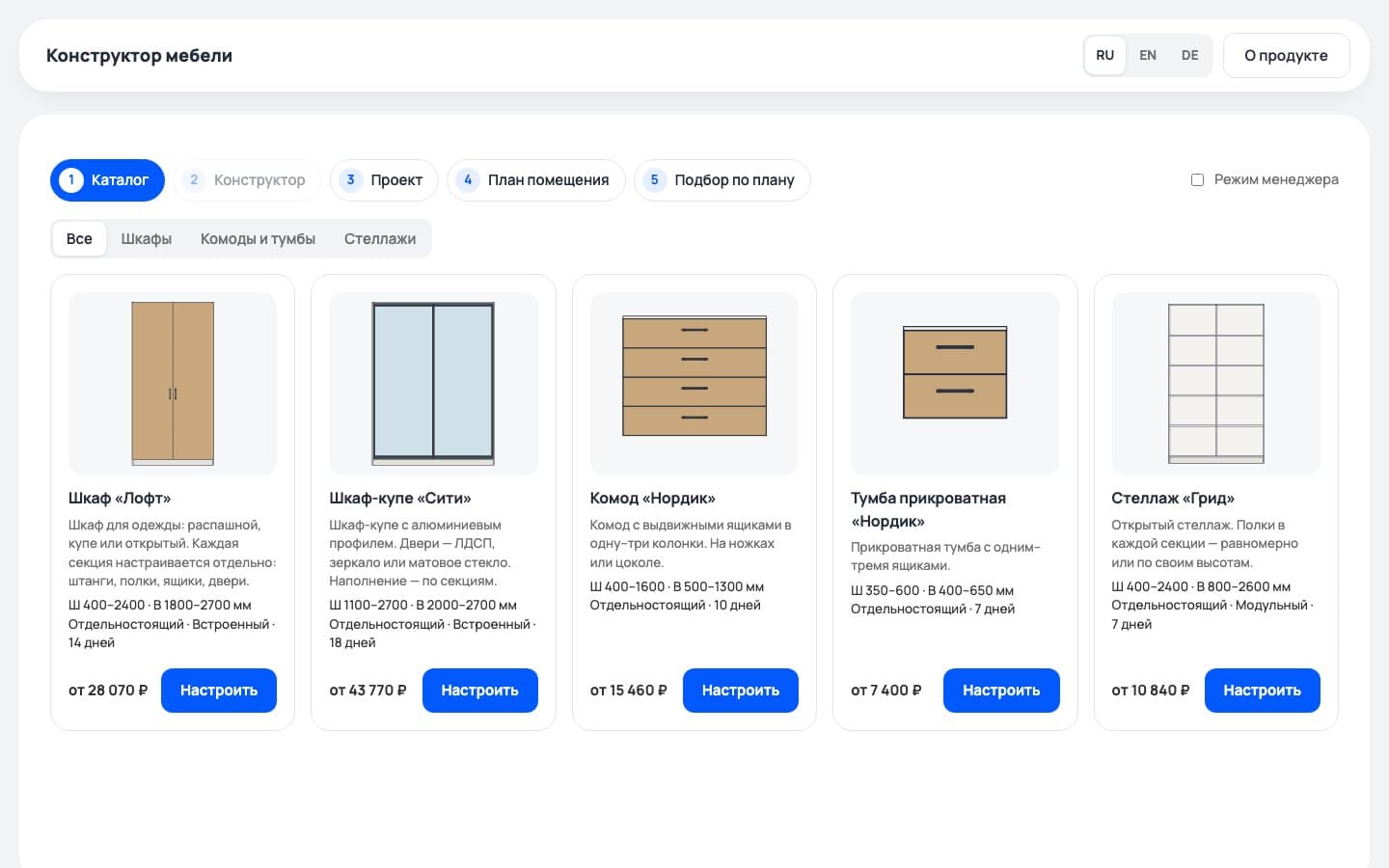
The configurator is built on the factory’s parametric models. The buyer picks a piece and changes the parameters that are allowed. The demo catalog includes the Loft wardrobe, the City sliding-door wardrobe, the Nordic chest of drawers and bedside table, and the Grid shelving unit.
Each wardrobe section can be set up separately: its width, interior and door. Changes appear in 3D and on a 2D diagram. Actions can be undone and redone, and a piece can be reset to its default version.
A layout that fits the room
Several pieces are combined into a project with quantities, delivery and a single specification. From the project, you can go back and reconfigure any piece.
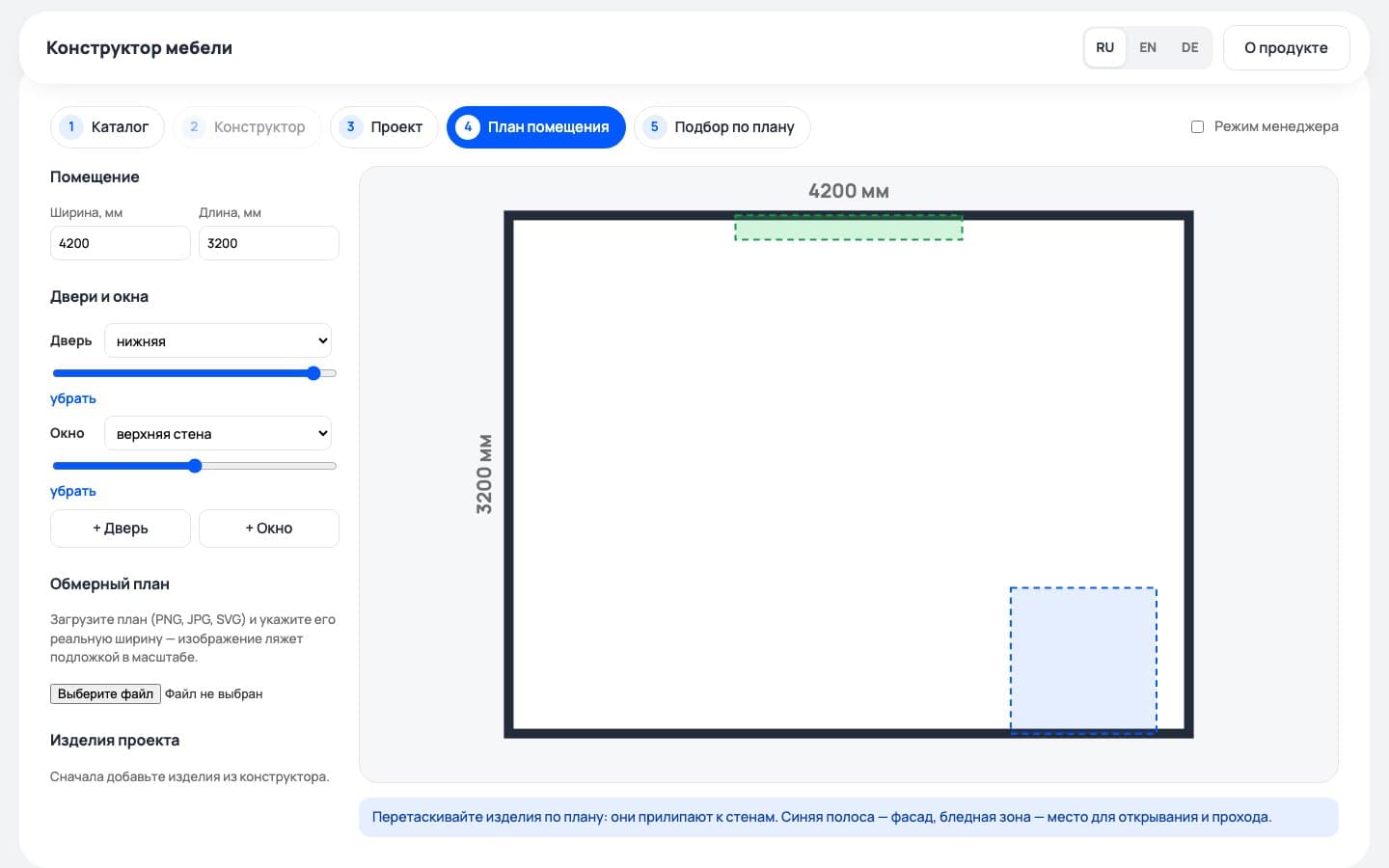
In the room planner, the user sets the room size, adds doors and windows, or uploads a measured plan as a to-scale underlay. Furniture is dragged into place and snaps to the walls. Checks help spot overlaps, blocked doorways and windows, and too little space to open doors and drawers.
To furnish a room, the user marks spots for furniture and enters their dimensions. The service suggests sets that match the budget and collection. Ready-made products are loaded from YML or JSON; if no product fits, a parametric model can be configured instead.
A demo that introduces the product
The home page explains how the configurator works and includes an embedded demo. Users can go straight to the catalog and try configuring a piece. A separate full-screen version is available for working on a project.
On desktop, the description and the wardrobe illustration sit side by side. On mobile, they stack, with the demo button below the description. Main actions and the current step are highlighted in blue.


Production rules and pricing
The rules engine checks size ranges, dependencies and incompatible parameters. An unavailable option comes with an explanation, and a manufacturing error blocks the order. For example, if the depth of the Loft wardrobe is reduced to 540 mm, ball-bearing runners are no longer available.
The price is the sum of materials by area, edging by length, hardware by quantity, labor and services. When the configuration changes, the manager doesn’t have to recalculate these items by hand.
Rules and formulas are stored in the model data. The interface is built with Preact and TypeScript, and three.js handles 3D. The calculation core is separate from the interface.
The finished product in the browser
We published a web MVP on GitHub Pages: a website with an embedded demo and a full-screen configurator. All calculations run in the browser, and projects are saved locally in localStorage.
A buyer can configure furniture from the demo range, get a price and check how it fits in the room. The service generates a cutting list with dimensions and a hardware list, exports data to CSV and JSON, and saves an image. A manager can produce a PDF quote using the browser’s print function and send a link to the configuration.
Target audience
- Cabinet furniture buyers
- Managers at furniture factories and showrooms
- Designers
What users need
Job to be done — from situation to outcome
To find out what furniture in the size and configuration I need will cost, I have to ask a manager for a preliminary quote. I also need to know whether the factory can make the option I chose and whether it will fit in my room.
I want to choose furniture for my room and budget on my own, knowing its price and the production limits.
I can pick a configuration that can actually be made and see the price right away, and before ordering, check that the furniture won’t block doorways or windows and that doors and drawers will have room to open.
What’s inside
Catalog of parametric furniture models
Configuration of sections, interiors and doors
3D view and 2D diagram of each piece
Production constraint checks with explanations
Pricing, cutting list and specification
PDF quote via the browser’s print function
Projects with several pieces, quantities and delivery
Room planner that checks overlaps, doorways and windows, and opening clearance
Set suggestions by dimensions, budget and collection
Catalog import from YML and JSON
Local project saving and a link to the configuration
Need a similar project?
Tell us about your task — we’ll estimate the scope, timeline and cost and propose a solution.
Other projects
See all projects
A mobile app for buying electronics, with an admin panel, product data imported from MoySklad and matching of items from supplier price lists

We built online proposals with data from Bitrix24 and MoySklad, a connector for warehouse requests and an extension for order payments

We created the UX/UI design for the website of electronics manufacturer Intechpro, built the HTML/CSS layout and added subcategories to the catalog