


Drone builder for FPV stores
An embeddable builder checks whether drone parts are compatible, recalculates the specs and sends the complete kit to the store’s cart
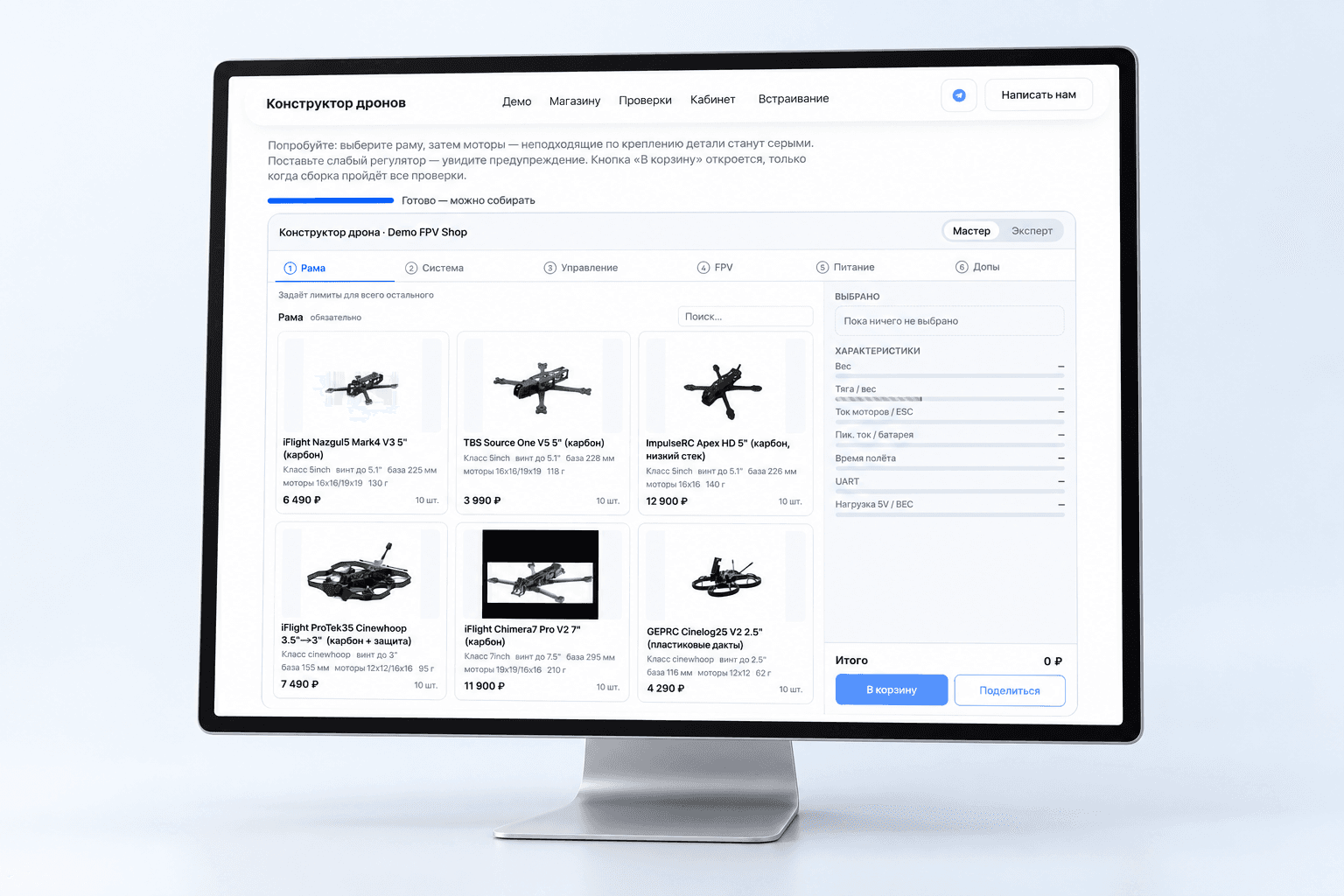
Project at a glance
Stores that sell FPV drone and UAV components need a builder where customers assemble a drone from the catalog and learn about incompatible parts before the kit goes to the cart. The check has to account for the components’ physical dimensions and mounts, power and protocols. The service had to be embeddable in the websites of different stores, in each store’s colors and fonts. Partners’ data had to be kept separate, and store staff needed to manage the catalog and set up compatibility rules without programming.
- Step-by-step component selection
- Physical and electrical compatibility checks
- Spec recalculation when parts are swapped
- Add-to-cart blocked when there are errors
- Catch incompatible parts before the kit goes to the cart
- Send the complete kit to the store’s cart
- Let staff manage the catalog and rules without programming
Want the same for your business? Tell us about your task — we’ll propose a solution and estimate the timeline.
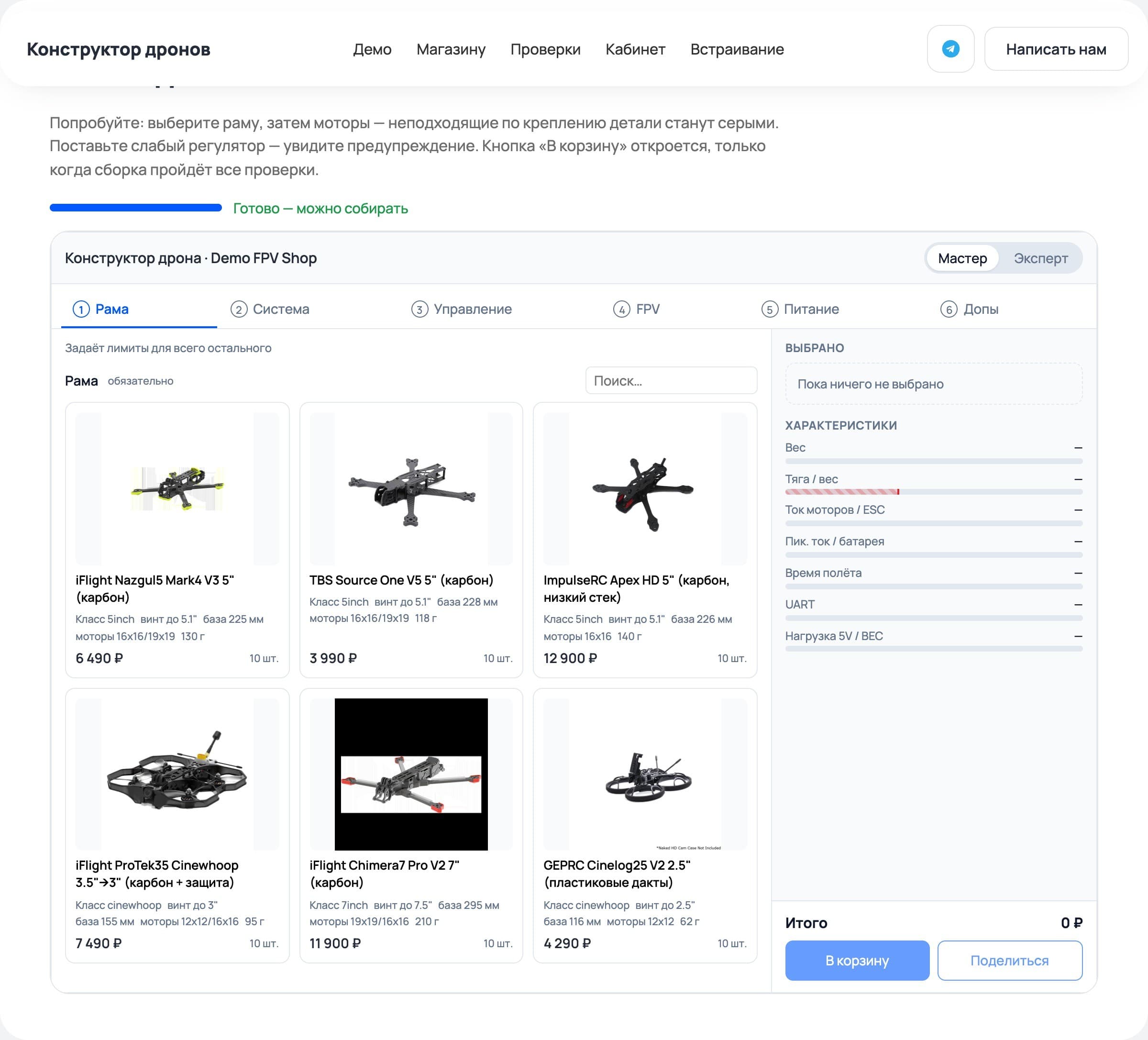
Selection starts with the frame
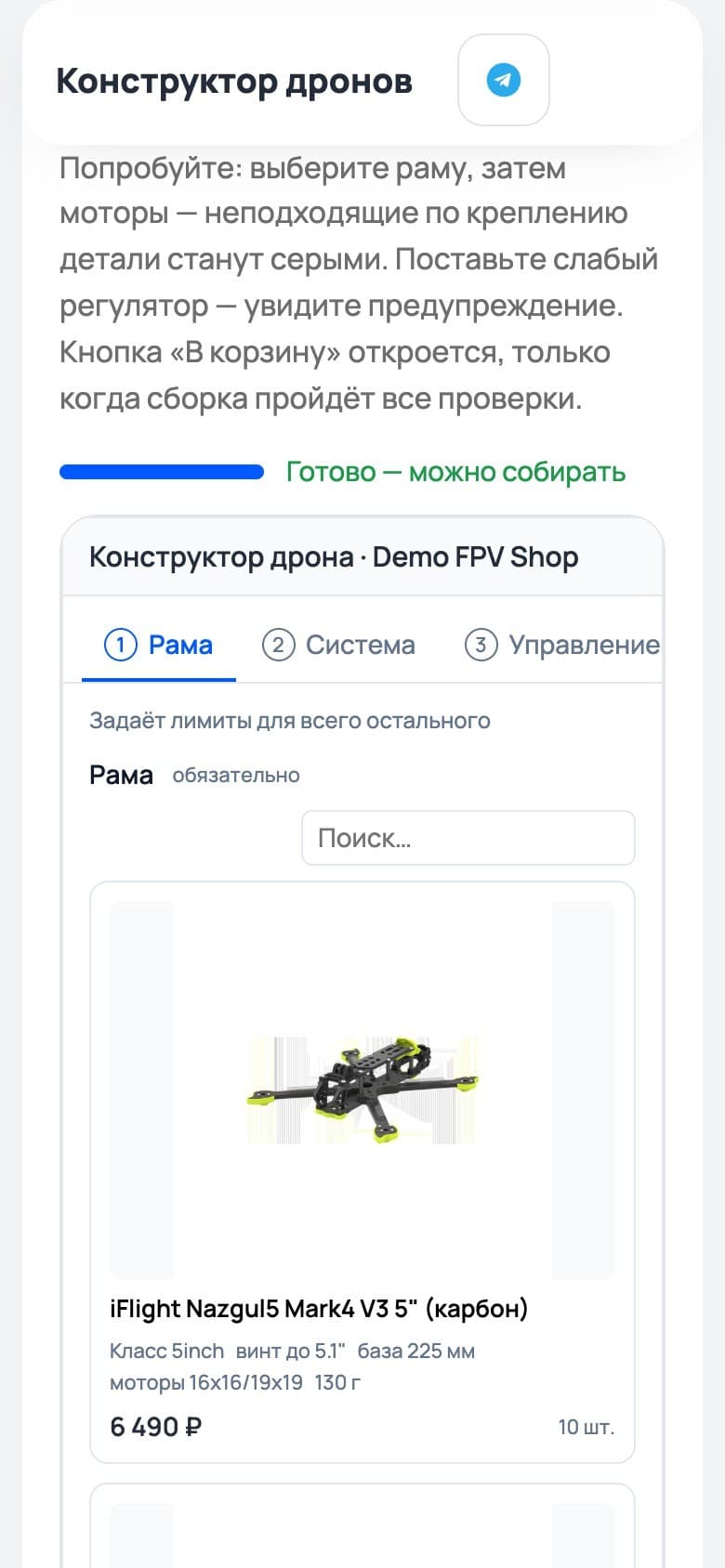
The “Wizard” mode takes the customer from the frame through the propulsion system, flight control and FPV to power and add-ons. The chosen frame sets the limits: parts with the wrong mount or a propeller that is too large become unavailable. The builder explains why.
On a phone, selection also goes step by step. Each part’s card shows its specs, price and stock level, so the customer can assess a component before adding it to the build.
Compatibility is checked during selection
The Python core checks geometry, weight and center of gravity, power, protocols, UART ports and thrust-to-weight ratio. When a part is swapped, the specs are recalculated: the customer sees how the weight, current draw and estimated flight time change. Messages are split into errors, warnings and explanations. A blocking error disables adding the kit to the cart.
To calculate the center of gravity, each slot on the frame has defined mounting coordinates for its component. Thrust is calculated from the manufacturer’s measurements in the motor’s data table. If no suitable data is available, the result is marked as an estimate.
Catalog and rules without code
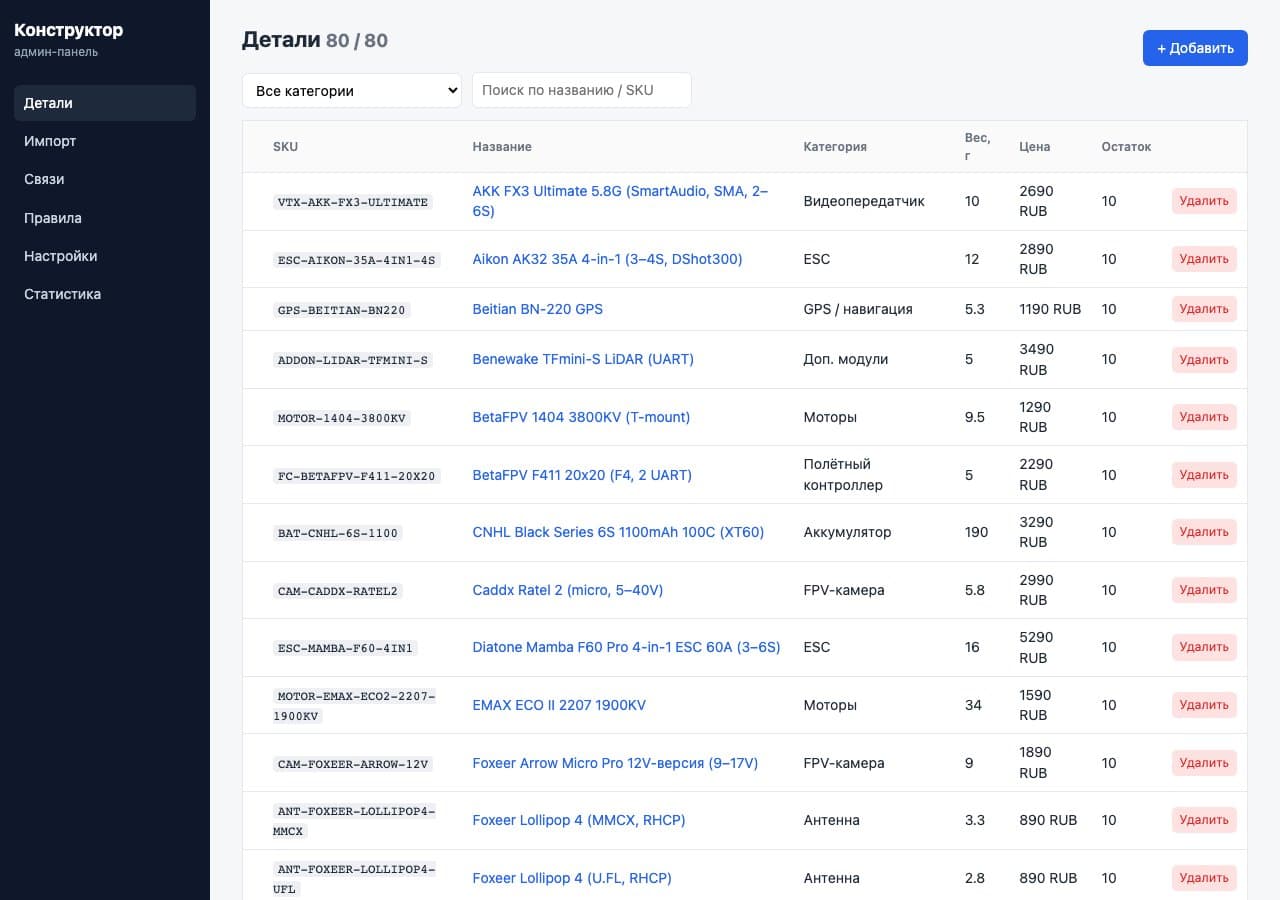
Store staff manage parts in the admin panel: they search by name and SKU, filter by category, and edit specs, prices and stock. Each category has its own form. The catalog can be imported from CSV or XLSX with a preview and column mapping.
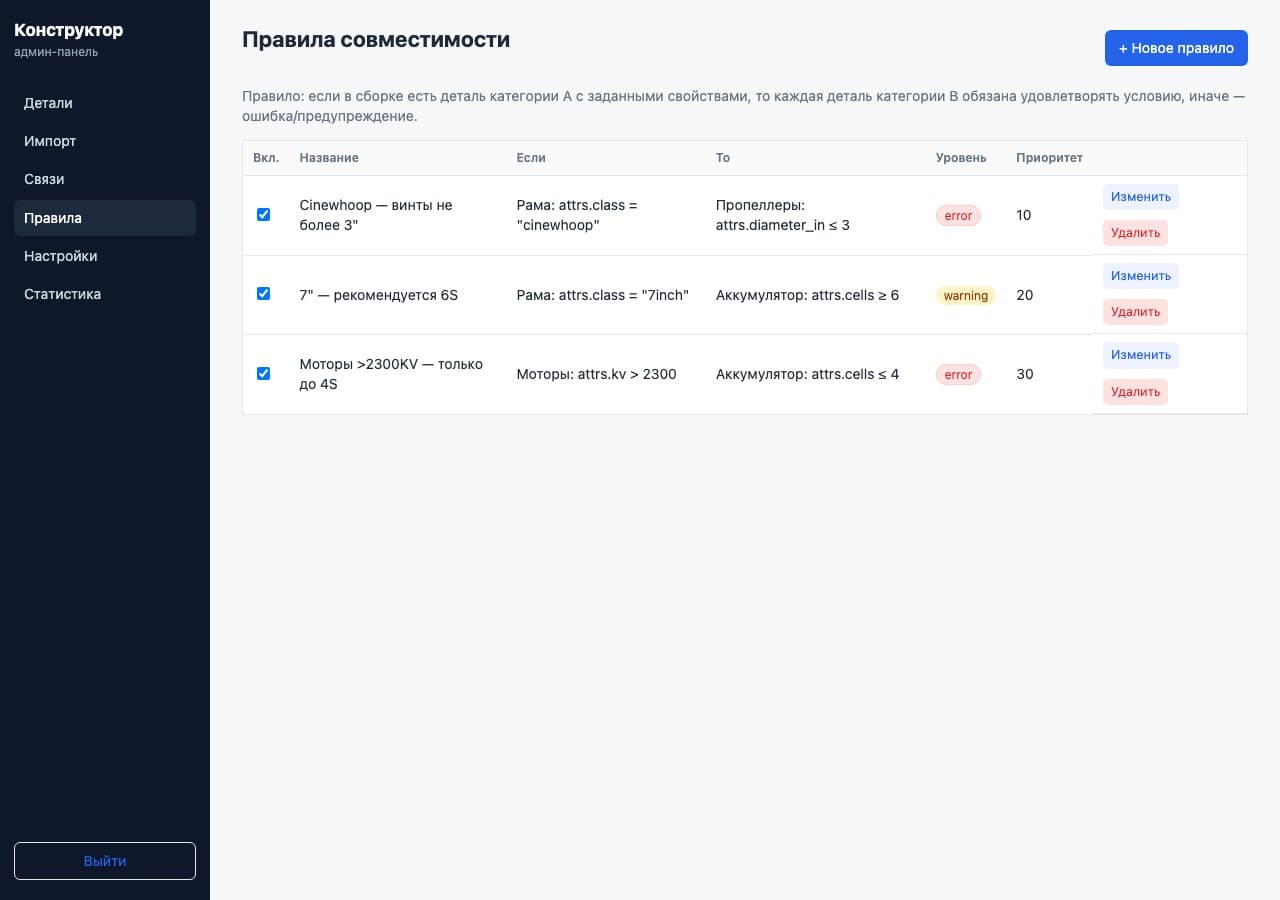
A separate rule builder links properties of different categories. For example, it can limit propeller size for a certain frame class or battery voltage for the motors. The administrator sets the condition, message level and priority, and turns a rule on or off without changing the code.
Statistics show what gets in the way of a build
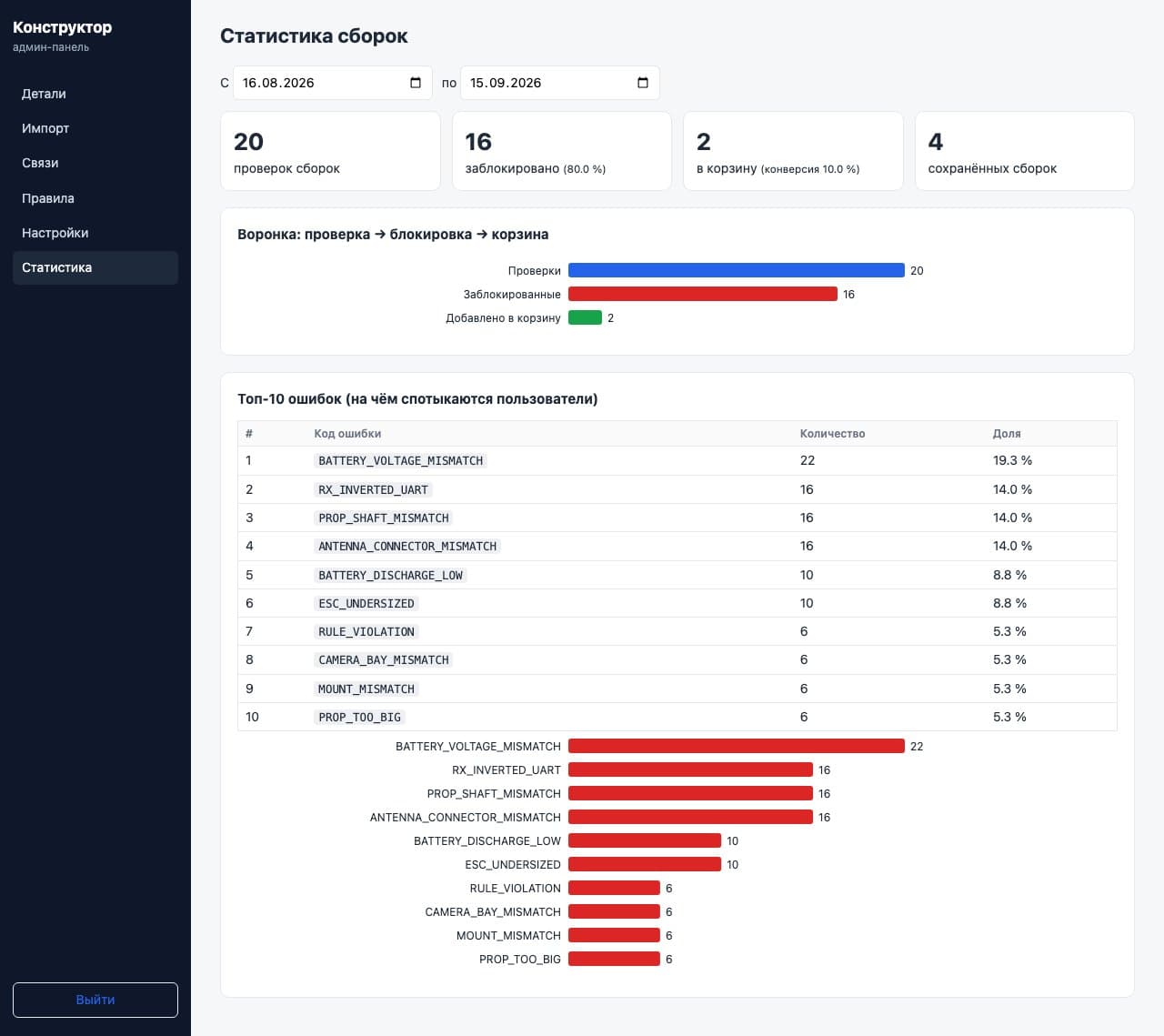
The admin panel collects checks, blocks, add-to-cart events and saved builds for a selected period. A funnel shows the path from check to cart, and a table of frequent errors shows staff which incompatibilities come up most often.
Embedding in the store’s website
The Preact widget supports the store’s colors and font. Shadow DOM isolates its styles from the site’s design. Partners’ data is separated into PostgreSQL schemas, and Redis caches the catalog and check results.
To pass the kit to the cart, we implemented a JavaScript event and a callback. The site receives the products, quantities and total based on its own catalog, then calculates discounts. The customer does not have to add each part again.
A guest build is saved in the browser’s local storage. A configuration can also be saved as a link and sent to a friend or a sales consultant. For a first look at the product, we prepared a browser demo: the Python core runs via Pyodide without a server API.
Target audience
- Buyers of FPV drone and UAV components
- Store staff who manage the catalog and set up compatibility
What users need
Job to be done — from situation to outcome
I’m choosing components for a drone and have to make sure they fit each other in terms of mounts, power and protocols.
Before buying, I want to know whether the kit is compatible and how swapping parts will affect the drone’s calculated specs.
I can evaluate the configuration before buying, send it to a friend or a sales consultant to discuss, and move the kit to the cart without adding the parts again.
What’s inside
Step-by-step component selection
Physical and electrical compatibility checks
Spec recalculation when parts are swapped
Add-to-cart blocked when there are errors
Guest build recovery and saving via link
Sending the kit’s contents and cost to the cart
Catalog import from CSV and XLSX
No-code compatibility rules
Statistics on builds and frequent errors
Widget branding and separate data for each store
How we worked
Analyzing the technical spec
Developing the compatibility core and API
Developing the component selection widget
Building the admin panel
Preparing the browser demo
Need a similar project?
Tell us about your task — we’ll estimate the scope, timeline and cost and propose a solution.
Other projects
See all projects
WildCRM helps sellers on Wildberries and Ozon (Russian marketplaces) make sense of the platforms’ reports and see their business’s financial picture: sales, profit and cost of goods
Panda lets a pet store sell through a mobile app and helps shoppers choose food by ingredients and price

The Entersight website helps store owners explore cloud inventory management and start a free trial